
Your shopping cart is empty!


-740x740.webp "Prestashop Advanced Security Manager")
-740x740.webp "Prestashop Advanced Security Manager")
-740x740.webp "Prestashop Advanced Security Manager")
-740x740.webp "Prestashop Advanced Security Manager")
-740x740.webp "Prestashop Advanced Security Manager")
The PrestaShop Security Module delivers complete store protection with 2FA, hidden admin URL, brute-force prevention, firewall protection, CAPTCHA security, and content-copy protection.
 Watch Video

Running a PrestaShop store means running a target. Automated bots attack admin login pages, spam scripts flood contact forms, and fake "add to cart" traffic quietly skews your analytics. Most stores rely on nothing more than a username and password to guard the one page that controls everything, orders, customer data, payment settings, and every module installed on the site.
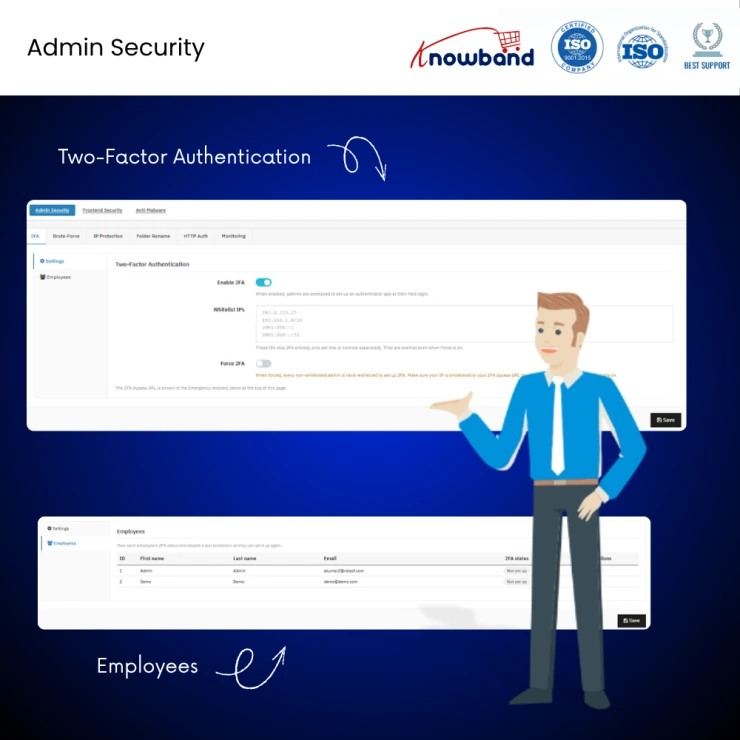
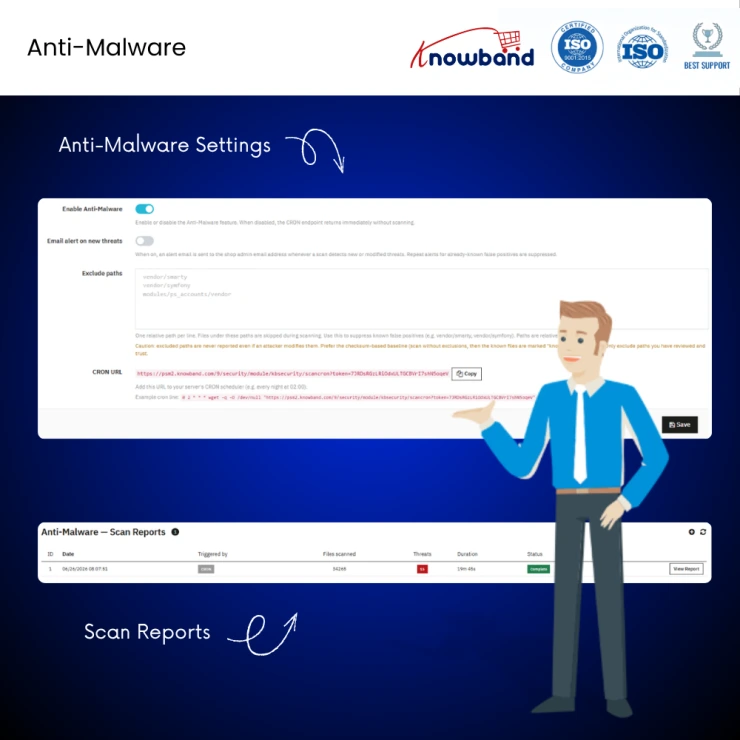
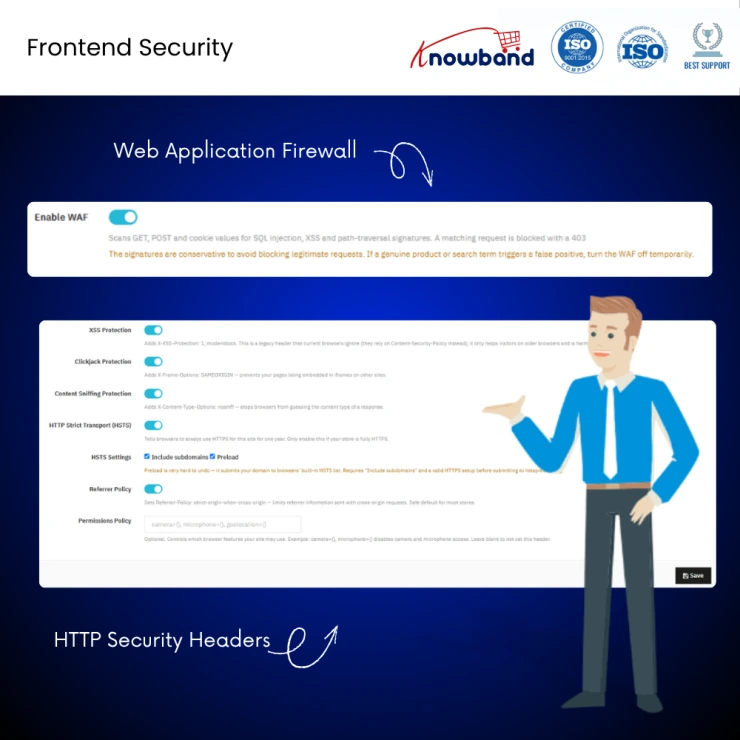
Prestashop Security Manager Module helps the store admins to protect both the admin back office and the customer-facing storefront. It combines two-factor authentication, automatic brute-force blocking, IP restriction, a hidden admin URL, an extra password gate, a web application firewall, security headers, CAPTCHA-based spam protection, fake-cart-bot blocking, and content-copy protection, all controlled from one settings screen, with a one-click emergency recovery link so the store owner can never be locked out. It works on PrestaShop 1.7, 8, and 9.
[New] Honey Pot Field and Project Honey Pot -This feature has been added to the module to detect bots that fill out invisible fields on frontend forms, helping with frontend spam protection.
[New] Security Dashboard - Integrated in PrestaShop Security Module v1.1, this dashboard displays: Security Score, Active Security Protections, Failed and Successful Login Attempts, Login Success Rate, 2FA Authentication Coverage, Active IP Bans, Spam Protection Statistics, Flagged IP Addresses, Bot Trapping Activity, Recent Project Honeypot Classifications, Top Attacking IP Addresses, Top Targeted Admin Accounts, and more.
Core Features
One module instead of five: This module removes the need for separate extensions for 2FA, firewall, Content Protection, Spam Protection and CAPTCHA: it's an all-in-one plugin.
Stops the #1 attack vector: Admin login pages are probed constantly by thousands of automated bots. The module's PrestaShop 2FA and brute-force protection features neutralize stolen or guessed passwords before they're ever used.
No developer required: The configuration of the module is in plain language, meaning a non-technical store owner can also handle their store security in minutes.
Cannot lock yourself out: The emergency recovery link and automatic IP whitelisting remove the single biggest fear merchants have about security plugins.
Cleaner analytics & inventory: The module's fake-cart-bot blocking keeps cart and stock data accurate for decision-making.
Better customer trust signals: Security headers and HTTPS enforcement protect every visitor's browsing session, not just store data.
Protects your content investment: Product descriptions and images you paid to create are harder to scrape and republish elsewhere.
Built for agencies too: Multi-store support and multilingual UI make it easy to standardize security across client stores.
Knowband , a leading name as an eCommerce development company, provides Prestashop Addons Development Services to enhance the functionality of your eCommerce stores. For providing Prestashop addons development, we have hired experienced Prestashop developers who work with full dedication to offer Prestashop development and support services.
If there is a feature you want on your Prestashop store, chances are that a Prestashop plugin will allow you to do it, if you don't find any such plugin you can always contact us for your custom plugin development requirements.
It protects both the PrestaShop admin back office and the customer-facing storefront. Admin-side protections include two-factor authentication, brute-force blocking, IP restriction, and a hidden admin URL. Storefront protections include a firewall, security headers, CAPTCHA, fake-cart blocking, and content protection.
Yes. It works with any standard TOTP authenticator app, including Google Authenticator, Authy, and Microsoft Authenticator. No special app is required.
No. Every feature is a simple on/off toggle with plain-language help text, designed for store owners without technical skills.
Knowband Security supports PrestaShop 1.7, PrestaShop 8, and PrestaShop 9.
The Knowband Prestashop Security Module includes native support for Cloudflare Turnstile, a fast and privacy-friendly challenge, along with other popular CAPTCHA options. It also includes a "Test Keys" button to verify setup before launch.
Yes. A separate Extra Password Gate (Frontend) feature in the Knowband Prestashop Security Module can place a username/password wall in front of your entire storefront. This is useful for staging sites, pre-launch stores, or members-only shops.
Yes. The module is multi-store ready, and the emergency recovery link can disable protections across all shops at once if needed.
The module is a lightweight settings layer and does not add front-end render-blocking scripts beyond those required for the CAPTCHA and security features you choose to enable. Additionally, HTTPS and HSTS security headers are generally beneficial for SEO rather than harmful.
Knowband Prestashop Security Manager Module is available in multiple languages, making it suitable for international store owners and agencies managing non-English stores.
 Sale
Sale
Having mobile apps for your site can increase your sales and customer ...
$199.99 $249.99
PrestaShop Auction Module to run live product bidding with scheduled a...
$69.99
Sale
Run in-store and online sales from one PrestaShop back office using Pr...
$79.99 $99.99
Sale
The Prestashop LLMs TXT Generator for AI Search Engines like ChatGPT, ...
$39.99 $49.99


